# First-time login
The final validation step is to log in to the OpenIAM web applications. First, find the IP address of your VM.
Open your browser, preferably Chrome or Firefox, and go to:
`http://[IP address of your installation]/webconsole`
Use these credentials for the first login:
```shellscript
Username: sysadmin
Password: passwd00
```
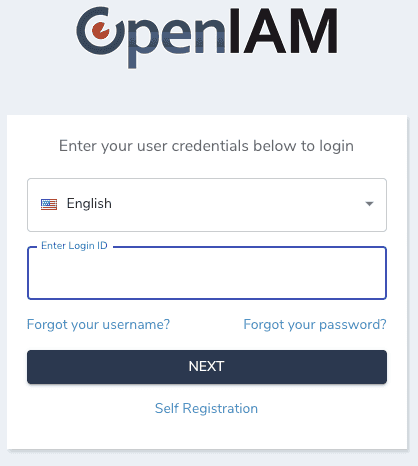
Enter the username shown below and click `Next`.
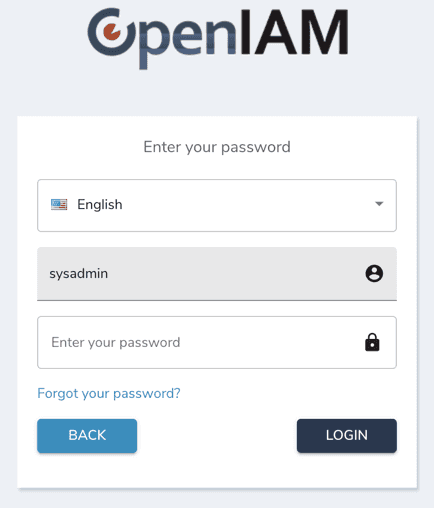
The authentication flow uses two screens. You will be asked to enter the password on the next screen.
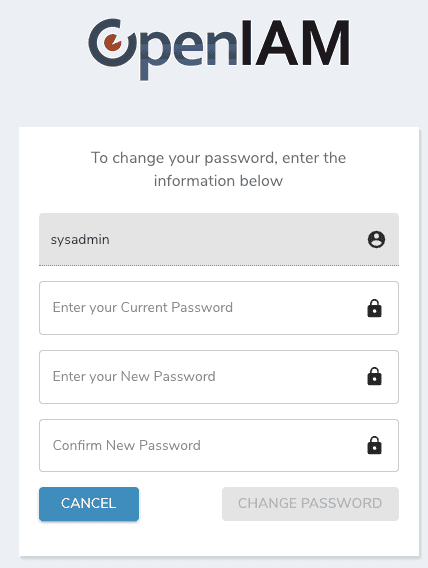
The next screen forces you to change the default password. As you enter the new password, you will see the password policy on the side.
### Next step
Continue to [Configure the content provider](/installing-openiam/configure-the-content-provider.md).
---
# Agent Instructions: Querying This Documentation
If you need additional information that is not directly available in this page, you can query the documentation dynamically by asking a question.
Perform an HTTP GET request on the current page URL with the `ask` query parameter:
```
GET https://docs-beta.openiam.com/installing-openiam/first-time-login.md?ask=
```
The question should be specific, self-contained, and written in natural language.
The response will contain a direct answer to the question and relevant excerpts and sources from the documentation.
Use this mechanism when the answer is not explicitly present in the current page, you need clarification or additional context, or you want to retrieve related documentation sections.